Vertical Mouse Benefits and How to Use Them Properly

How to Use a Vertical Mouse Properly to Maximise Benefits
Computer work can put stress on everything from your shoulders to your knees and everything in between — including your wrists. Computer mice are one of the main culprits of wrist and arm issues, especially if you're not using them correctly.
If you consistently have wrist, hand, or shoulder pain while working on the computer, a vertical mouse may be the key to a more comfortable experience.
What are vertical mice?
The vertical mouse was invented in 1994 by Jack Lo, who had become disillusioned with traditional computer mice and was looking for a better solution to it. His patented ergonomic design featured a tall mouse with the buttons and scroll wheel rotated 90 degrees and located on the side of the mouse. It's designed to be held in an upright handshake position that takes the pressure off your wrist, hand, and arm and helps prevent overuse injuries or debilitating muscle strains.
While Microsoft and several other companies originally rejected the invention, Lo continued to develop his product and eventually manufacture and distribute it himself. These days, many computer users who are prone to wrist and arm problems rely on the ergonomically designed vertical mouse to help combat pain and discomfort.
But what exactly makes it so useful? And how do you hold a vertical mouse to get the most out of it? We'll discuss the answers to these questions below.
How does a vertical mouse work?
Rest your hand on a desk, table, or other flat surface — chances are, it naturally rests in the handshake position. In this position, your hand rests at roughly a 60-degree angle rather than lying flat on the table as it would if it were resting on a conventional mouse. The handshake position is considered a neutral position for most people. It not only helps reduce stress and tension in your hand and wrist but is also one of the most comfortable positions for your arms and hands.
Now that you've experienced the handshake position, consider if it's feasible to use a traditional mouse at the same time. Probably not, right? That's where the vertical mouse comes in.
A vertical mouse sports a taller design and more aggressive sloping than you'll find on a conventional mouse. This unique profile is designed so that you can easily grasp and manoeuvre the mouse while in the handshake position for a more comfortable and natural mousing experience.
What exactly does this do for your body, though? It:
- Takes the pressure off the underside of your wrist
- Supports your fingers gently, negating the need for you to clench them while clutching the mouse
- Keeps the shoulder rotated externally in a more neutral position
- Eliminates forearm pronation (when the forearm is rotated on the longitudinal axis)
The benefits of a vertical mouse
So what exactly does all that mean for your body? Using a vertical mouse rather than a conventional one offers several different benefits:
- A vertical mouse keeps your arm, wrist, and hand in a neutral position, helping to prevent or minimise pain and discomfort while you work or play.
- Using a vertical mouse takes the pressure off your wrist and prevents forearm pronation, both of which can lead to debilitating carpal tunnel syndrome. This injury occurs when the median nerve, which runs through the hand and the wrist, becomes strained.
- Vertical mice can help prevent and treat mouse shoulder — a condition characterised by hand, wrist, shoulder, and neck pain — which is caused by the wrist strain and inadequate support that are so common with conventional mice.
- Vertical mice can help make computer work less painful or difficult, especially for people suffering from arm and wrist problems, arthritis, and other conditions. Because vertical mice are operated with a neutral hand position, they allow people to avoid painful and unnecessary twisting and bending.
- Using a vertical mouse can help improve productivity by reducing pain, potentially preventing stress-related injuries, allowing faster movements, and offering a more comfortable experience. Because they are easier and more natural to use, vertical mice can make working easier and less fatiguing, even if you spend copious amounts of time on the computer.
- Working with vertical mice allows you two different ways to operate your mouse (we'll talk more about that below).
How to use a vertical mouse the right way
Of course, to get the full benefit of a vertical mouse, it's important that you use it the correct way. Luckily, there are two different ways you can operate your vertical mouse that will help you manoeuvre it smoothly and quickly. Below we'll discuss the proper way to hold your mouse and the various ways to move it.
How to hold a vertical mouse
A vertical mouse naturally guides your hand and arm into the proper position, offering an intuitive and straightforward experience. To hold the mouse, simply rest your dominant arm and hand on the table or desk, with your palm facing the computer and your thumb resting on top of your fingers. Gently grasp the mouse in this position, ensuring that your fingers are relaxed. The weight of your hand should rest on your pinky finger rather than the underside of your wrist.
How to manoeuvre a vertical mouse
Now that you've grasped the concept of holding a vertical mouse, it's time to learn how to move it properly. There are two ways to do this.
Use your elbow
When using this method, rest your forearm on your desk and move the mouse using your elbow. Keep your forearm straight, your wrist completely still, and both slightly lifted off the desk while you move the mouse. This method helps protect your wrist and decreases the risk of carpal tunnel syndrome, but it can take some getting used to and isn't ideal for smaller desktops or surfaces.
Use your wrist
For the second method, grasp the mouse then use your wrist to move the mouse back and forth, just as you would a conventional mouse. This method is much more energy efficient but places slightly more strain on your median nerve than the first method does.
Are vertical mice better than other options?
When it comes to computer mice, there's no one-size-fits-all option. Many people will indeed prefer using vertical mice, especially if they are spending long periods at the computer. Others may prefer to use conventional mice simply because that's what they're used to.
Preference aside, vertical mice are more ergonomic than traditional mice, as they allow your hand to rest in a more natural position, which is safer, more comfortable, and more efficient in the long run.
Ultimately, the choice of mouse is up to you!
An ergonomic office plan
Whether you're working from home or holed up in your office, surrounding yourself with the right equipment can make a difference in your workday. Ergonomic furniture and accessories can change the way you work for the better by helping to prevent or eliminate common pains and discomforts that so many of us experience while using a computer.
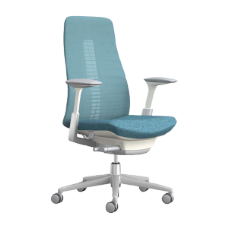
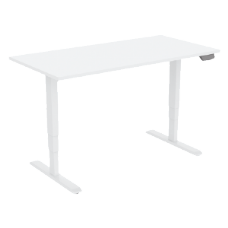
From sit-stand desks to ergonomic office chairs and vertical mice, you'll find exceptional ergonomic office furniture at Ergonomics 101. Browse our collection today and find the pieces you've been missing, or get in touch with our team for help determining what products we carry that will meet your unique needs.
Please feel free to shop our range of Vertical mice https://ergonomics101.com.au/products/mice