Exercises at Work
A practical guide to moving more at your desk
Most people do not need a complicated office workout. They need a few sensible movements they will actually do.
That is the honest starting point. If a routine feels awkward, takes too long, needs gym clothes or makes you feel silly in front of the team, it probably will not last.
From a physio or personal training point of view, the goal is simple: break up long sitting, wake up the muscles that go quiet at the desk, and give the neck, shoulders, back, hips and legs regular chances to reset.
You are not trying to turn the office into a gym. You are trying to stop your body from being parked in the same position all day.
Why desk work catches up with people
Sitting is not automatically bad. The problem is how long we tend to stay there.
After a while, the same patterns start to show up. The shoulders creep forward. The neck reaches toward the screen. The hips stay folded. The lower back takes the same load for hours. The calves and glutes do very little. By the end of the day, people wonder why they feel stiff when they have 'hardly moved'.
That is exactly the point. They have hardly moved.
The fix does not have to be dramatic. In most workplaces, the boring options are the ones that work best: stand up, walk, stretch gently, do a few controlled strength movements, then get back to work.
Start with the workstation, not the exercise list
Before handing someone a page of exercises, I would usually look at the desk setup first.
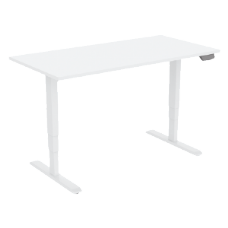
If the chair is too low, the desk is too high, the laptop is forcing the head down, or the mouse is sitting a long way from the body, the person is already working against themselves. A few stretches might help for ten minutes, but the same strain will keep coming back.
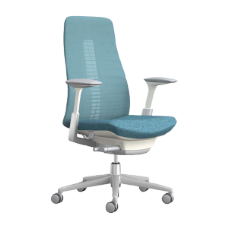
A better setup makes movement easier. The chair should support the person rather than trap them. The screen should be easy to look at without craning the neck. The keyboard and mouse should sit close enough that the shoulders can relax. Feet need support. The desk height needs to make sense for the person using it.
Exercise and ergonomics work best together. One does not replace the other.
The main rule: move before you feel terrible
A lot of people wait until their back is stiff, their neck is tight or their shoulders are already up around their ears. By then, they are playing catch-up.
Try using movement as a reset, not a rescue mission. A minute or two, done regularly, is often more useful than one big burst at the end of the day.
· Every 30 minutes: stand, walk or change position.
· Every 60 to 90 minutes: do a short mobility reset.
· Once or twice a day: add a small strength circuit.
· At lunch or after work: get a proper walk, class, gym session or sport in when you can.
No one gets this perfect. That is fine. The point is to build more movement into a normal day, not create another thing to feel guilty about.
A 60-second reset you can do almost anywhere
This is the one I would give to almost anyone who spends too long at a screen. It is quick, quiet and does not require getting on the floor.
1. Stand up and take three slow breaths
Let the arms hang. Let the shoulders drop. Try to breathe into the ribs instead of lifting the shoulders with every inhale.
2. Open the chest
Stand tall, take the arms slightly out to the side, and turn the thumbs gently back. Hold for 10 to 20 seconds. You should feel the front of the chest open, not a pinch in the shoulder.
3. Squeeze the shoulder blades
Draw the shoulder blades back and slightly down. Hold for two seconds, then relax. Repeat 8 to 10 times. Keep it gentle. Do not jam the shoulders backwards.
4. Rotate through the upper back
Cross your arms over your chest and turn slowly to one side, then the other. Five each way is enough. Think controlled movement, not forcing range.
5. Finish with calf raises
Hold a stable desk or chair. Rise onto the toes, pause, then lower slowly. Do 10 to 15. It is simple, but it gets the lower legs working after long sitting.
A five-minute strength snack
Mobility helps, but strength matters. The stronger your legs, hips, trunk and upper back are, the easier it is to sit well, stand well and tolerate a full workday.
This does not need to be sweaty or dramatic. One controlled round is enough to start.
Chair sit-to-stands
Sit near the front of a stable chair with both feet flat. Stand up without using your hands if you can, then sit back down slowly. Aim for 8 to 12 reps.
|
Trainer note: the lowering part matters. If you drop into the chair, slow it down. |
Wall or desk push-ups
Place your hands on a wall or sturdy desk. Step back slightly, keep the body long, bend the elbows and press away. Try 6 to 12 reps. The wall version is easier; the desk version is harder.
Supported hip hinges
Hands lightly on the desk. Soften the knees and push the hips back, keeping the spine long. You should feel the movement through the hips and hamstrings, not as a collapse through the lower back. Do 8 to 10 reps.
Standing marches
Hold the desk if you need to. Lift one knee, lower it, then lift the other. Keep the body tall. Do 20 slow marches.
Supported balance
Stand near a wall or desk. Lift one foot just off the floor and hold for 10 to 20 seconds. Swap sides. Keep a hand close to the support. This is not about showing off; it is about keeping the ankles, hips and balance system switched on.
Stretches that make sense at work
Stretching should not feel like a battle. If you bounce, force it, or push into pain, you are probably doing too much.
Hamstring stretch
Sit near the front of the chair. Place one heel on the floor with the toes up. Keep your back long and hinge slightly from the hips until you feel the back of the thigh. Hold 15 to 20 seconds, then change sides.
Hip flexor stretch
Stand in a split stance, one foot forward and one foot back. Gently tuck the pelvis under and shift forward slightly until you feel the front of the hip on the back leg. Keep it small. Hold 15 to 20 seconds each side.
Forearm stretch
Useful for heavy keyboard and mouse users. Extend one arm in front of you and gently draw the fingers back with the other hand. Hold briefly, then turn the palm down and repeat.
Neck reset
Skip the big neck circles. Sit tall, make a small chin tuck as if you are gently making a double chin, then relax. Repeat 5 to 8 times. You should feel length through the back of the neck, not strain.
The office exercises I would not lead with
Some exercises are fine in a gym and silly in the office.
I would be careful with chair dips, pistol squats, deep single-leg squats, fast jumping jacks, floor-based Russian twists and anything that uses a wheeled chair for support. They may suit some people, but they are not great default advice for a general workplace audience.
Most people will get more value from sit-to-stands, wall push-ups, calf raises, gentle mobility work and walking. Safe, repeatable and easy to scale beats impressive.
Use the workday as the reminder
The best routine is the one you do without thinking too hard about it. Attach movement to things that already happen.
· After a meeting: stand and do 10 calf raises.
· Before a long call: take the first few minutes standing.
· After sending a report: walk to refill your water.
· Before lunch: do one round of sit-to-stands and wall push-ups.
· Mid-afternoon: do the 60-second reset before reaching for another coffee.
This is how small habits stick. You do not need a perfect programme. You need a few prompts that fit the way you already work.
Walking still counts
Walking is underrated because it feels too easy. For desk-based workers, that is exactly why it is useful.
Walk during phone calls when it suits. Take the stairs for one or two floors. Park a bit further away. Step outside at lunch. Walk over to speak to someone instead of sending another message.
None of this is flashy. It just adds movement back into a day that has been designed to remove it.
A realistic office movement plan
Here is a simple version for someone who spends most of the day at a computer:
· Start of day: 60-second reset.
· Mid-morning: short walk or stairs.
· Before lunch: sit-to-stands, wall push-ups and calf raises.
· Mid-afternoon: chest opener, hamstring stretch and neck reset.
· End of day: walk, gym, bike ride, Pilates, sport or any activity you actually enjoy.
That is enough to change the feel of the day. Not perfect. Just better.
When to get help
If pain is persistent, worsening, sharp, spreading down the arm or leg, linked with numbness or weakness, or not settling with simple changes, get it assessed.
The same applies if you have poor balance, a recent injury, a history of falls, recent surgery, pregnancy-related concerns or a medical condition that affects exercise tolerance. A physiotherapist, GP, exercise physiologist or suitably qualified trainer can help tailor the advice to the person in front of them.
Final thought
Exercise at work should not feel like another job.
Stand before you stiffen. Move before the shoulders climb. Give the muscles ignored by desk work a small dose of attention during the day.
Keep it simple enough that you will actually do it. That is where workplace movement becomes useful: not as a burst of motivation once a month, but as a normal part of looking after your body while you work.