Can Your Workstation Be Causing Your Headaches?

Can Your Workstation Be Causing Your Headaches?
In clinical practice, a significant proportion of recurrent "tension" or neck-related headaches are linked to prolonged desk posture. The issue is rarely just the chair. More often, it's the combined effect of screen height, mouse reach, lighting and sustained muscle loading through the neck and shoulders.
The encouraging part is this: when the workstation is set up correctly, many posture-related headaches improve — and in some cases resolve entirely.
1. Reducing Neck Muscle Overload
When you sit at a poorly set-up desk, the neck muscles work continuously to hold your head in position. Forward head posture, elevated shoulders, and reaching for the mouse all increase load through the cervical spine and upper trapezius.
Over time, this sustained muscle activation can trigger:
- Dull, band-like tension headaches
- Pain starting at the base of the skull
- Headaches that worsen as the day progresses
- Neck stiffness accompanying head pain
Correct workstation setup reduces this mechanical strain.
What makes the biggest difference?
- Screen at eye level - so you are not constantly flexing or extending your neck
- Screen centred in front of you - avoiding repetitive rotation
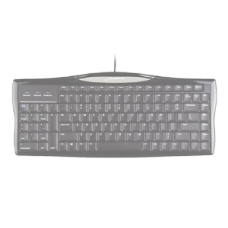
- Mouse and keyboard close to your body - elbows relaxed by your sides
- Forearm support available - reducing shoulder elevation
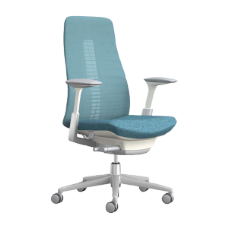
- Chair supporting your back - so your neck is not compensating
When cervical muscle load decreases, the frequency and intensity of headaches often decrease as well.
2. Managing Visual Strain
Not all headaches are muscular. Glare, screen brightness mismatch and poor lighting can lead to eye strain that presents as headache.
Common triggers include:
- Screen facing a window
- Reflections on glossy monitors
- Overhead lighting directly above the screen
- Constant shifting between bright and dim surfaces
Simple adjustments can significantly reduce symptoms:
- Position the monitor perpendicular to windows
- Reduce glare with blinds or repositioning
- Use appropriate task lighting
- Ensure screen brightness matches ambient light
Many people experience noticeable improvement within days of correcting glare and visual strain.
3. Eliminating the "Mouse Reach" Pattern
One of the most common patterns associated with headache is excessive mouse reach.
If your mouse sits too far away:
- The shoulder abducts (moves outward)
- The upper trapezius activates continuously
- Neck muscles become overworked
- Headache develops by afternoon
Bringing the mouse closer and reducing reach distance can substantially reduce shoulder tension and associated headaches.
Vertical mice may help some individuals, but position and reach distance are usually more important than device style.
4. Reducing Repetitive Neck Movement
If you frequently look down at paperwork and back up at the screen, your neck is repeatedly flexing and extending throughout the day.
Using a document holder positioned near the monitor reduces repetitive strain and cumulative loading — often an overlooked but important contributor to headache.
5. The Role of Movement
Even a perfectly set-up workstation will not prevent headaches if posture is held rigidly for hours.
Short, regular movement breaks:
- Reset muscle tension
- Improve circulation
- Reduce sustained cervical loading
Micro-breaks every 30–60 minutes are simple but highly effective.
What Patients Often Notice
When workstation changes are implemented properly, common outcomes include:
- Fewer late-afternoon headaches
- Reduced reliance on analgesics
- Less neck tightness
- Improved concentration
- Better tolerance for full workdays
For posture-related headaches, the workstation is frequently a major contributing factor — and therefore a major opportunity for improvement.
Important Note
If headaches are sudden, severe, progressively worsening, or accompanied by neurological symptoms, medical assessment is essential. Ergonomic changes are appropriate for posture-related and visually triggered headaches, but not all headache types.